1. Turning AI Insights into Real-World Admissions Offers
Generating an AI university roadmap on EduPath Dashboard takes less than 2 minutes. But an AI roadmap is only as valuable as the execution that follows.
To convert your dashboard recommendations into actual acceptance letters from top US, UK, Canadian, or European universities, you need a disciplined weekly action routine. This guide walks you through transforming your dashboard data into concrete decisions.
Launch Your EduPath Execution Routine
Interactive AI Dashboard
EduPath Portal
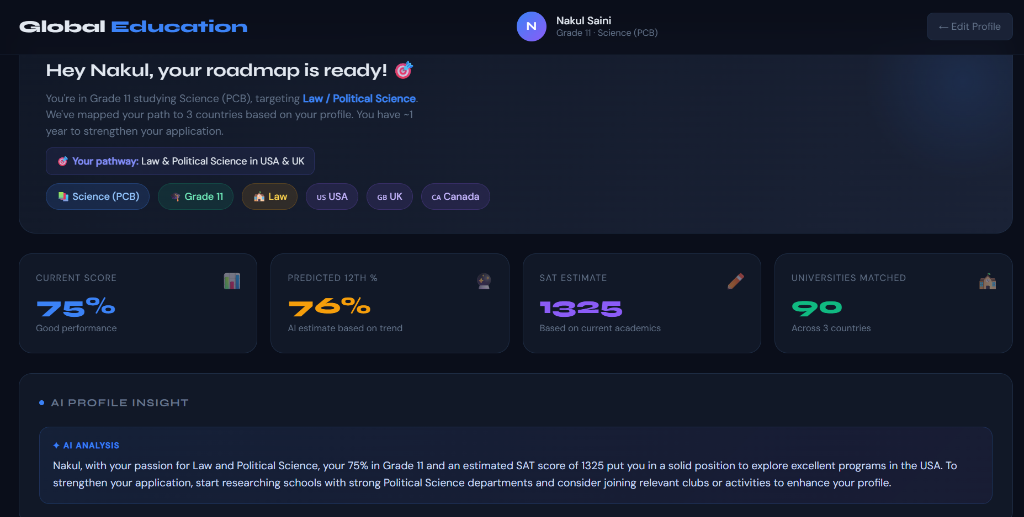
Access your personalized timeline, predicted SAT scores, and matched university cards.
Open My EduPath DashboardMentor Support
EduQuest Review
Connect with EduQuest counselors to review your dashboard action items.
Explore Dashboard Platform2. The 4-Step Execution Workflow
Step 1: Review & Refine Baseline Metrics
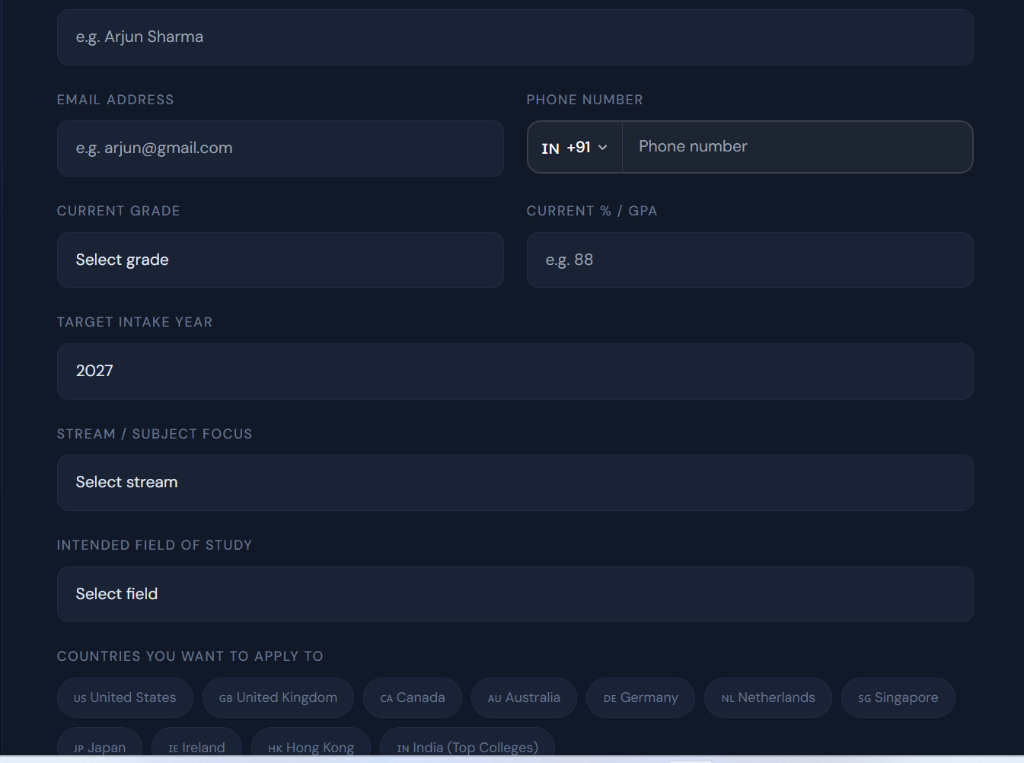
Double-check your school percentage, board type, stream, and target major. Ensure baseline inputs accurately reflect your current standing.
Step 2: Audit Your University Shortlist Tiers
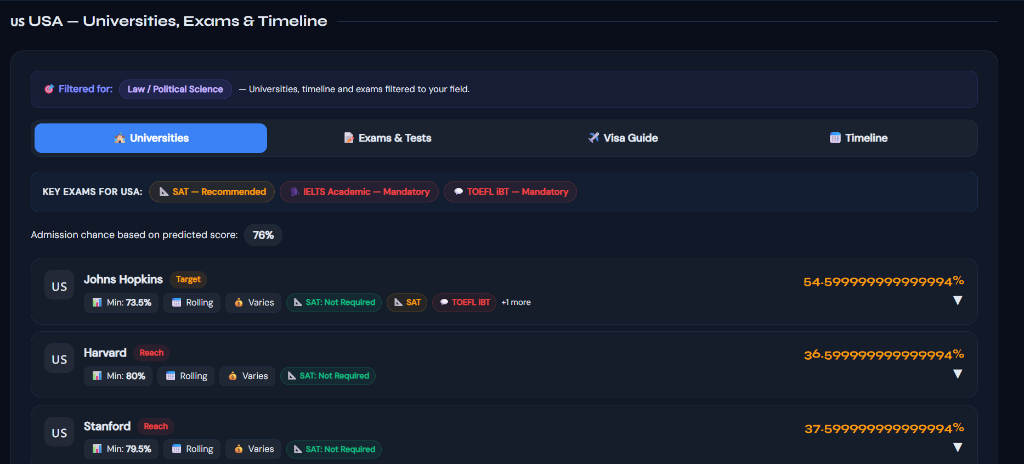
Examine your matched universities categorized into Dream, Reach, Match, and Safety buckets. Select 10–12 target schools.
Step 3: Execute Monthly Milestone Action Items
Follow the monthly timeline cards for SAT prep, AP exam registration, essay brainstorming, and letter of recommendation requests.
Step 4: Update Progress & Recalibrate Quarterly
Log new term marks or practice SAT scores every quarter to watch your university admission probabilities increase.
Fast-Track Your College & Career Strategy
Get immediate, personalized AI insights tailored to your grade, strengths, and dream universities — 100% free with instant reports.
Know Your Personality Type for Free
Take our 18-question AI psychometric test to uncover your cognitive archetype, hidden learning superpowers, and ideal university courses.
Personalized Career & University EduPath
Build a step-by-step Grade 8–12 admissions blueprint with AI-matched target universities, exam schedules, and extracurricular profiles.
| Dashboard Section | What It Tells You | Your Required Action Item |
|---|---|---|
| Predicted SAT Card | Baseline score estimate based on current profile | Enroll in targeted prep to bridge score gap to target median |
| University Matches List | Customized college fits across 9 countries | Research specific campus programs and add to favorites |
| Required Exam Timeline | Exact test requirements (SAT, IELTS, APs) | Book test dates on official College Board / IELTS portals |
| Milestone Action Feed | Priority tasks for your current grade | Complete top 2 priority tasks every fortnight |
Treat your EduPath Dashboard like a live navigation GPS for high school. Check it every month, complete the flagged action items, and adjust course when new grades arrive.
— EduQuest User Experience Director
Dashboard Creation & Shortlist Audit
Profile Initialization
- Generate EduPath Dashboard profile in 2 minutes.
- Audit 12 matched universities across 9 countries.
Testing & Profile Milestone Execution
Action Item Completion
- Complete Digital SAT testing and AP exams as scheduled.
- Execute capstone extracurricular projects.
Application Submissions & Offer Selection
Final Offers & Visas
- Submit Common App and UCAS applications.
- Select final university offer and complete student visa filing.
Download the EduPath Dashboard User Playbook
Get our comprehensive user playbook detailing how to maximize your AI university roadmap from Grade 8 through Grade 12.
Is EduPath Dashboard accessible on mobile phones?
Yes! EduPath Dashboard is fully responsive and accessible on all smartphones, tablets, and laptops.
Can parents and students share the same dashboard?
Yes! Families can review the dashboard together to stay aligned on testing dates and financial budgets.
Take Control of Your University Journey Today
Turn AI insights into acceptance letters. Launch your roadmap on EduPath Dashboard AI.
Access EduPath Dashboard
Interactive AI Tool
EduPath Dashboard
Open your dashboard and execute your monthly action plan.
Go to EduPath DashboardCounselor Review
EduQuest Mentors
Book a dashboard review session with admissions experts.
Access Platform