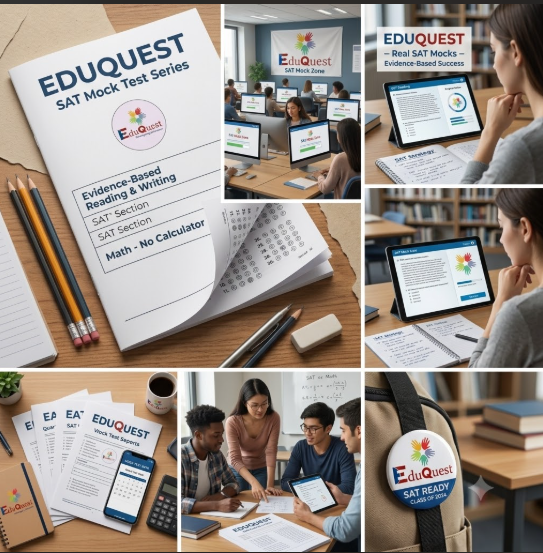

The global standardized testing landscape has undergone a permanent digital revolution. With the transition to the Digital SAT, computer-based UCAT, digital TMUA, ESAT, GRE, and GMAT, preparing with traditional paper PDFs and printed booklets is no longer sufficient. To succeed in modern computer-based examinations, students must master the unique advantages and tactical mechanics of online mock tests.
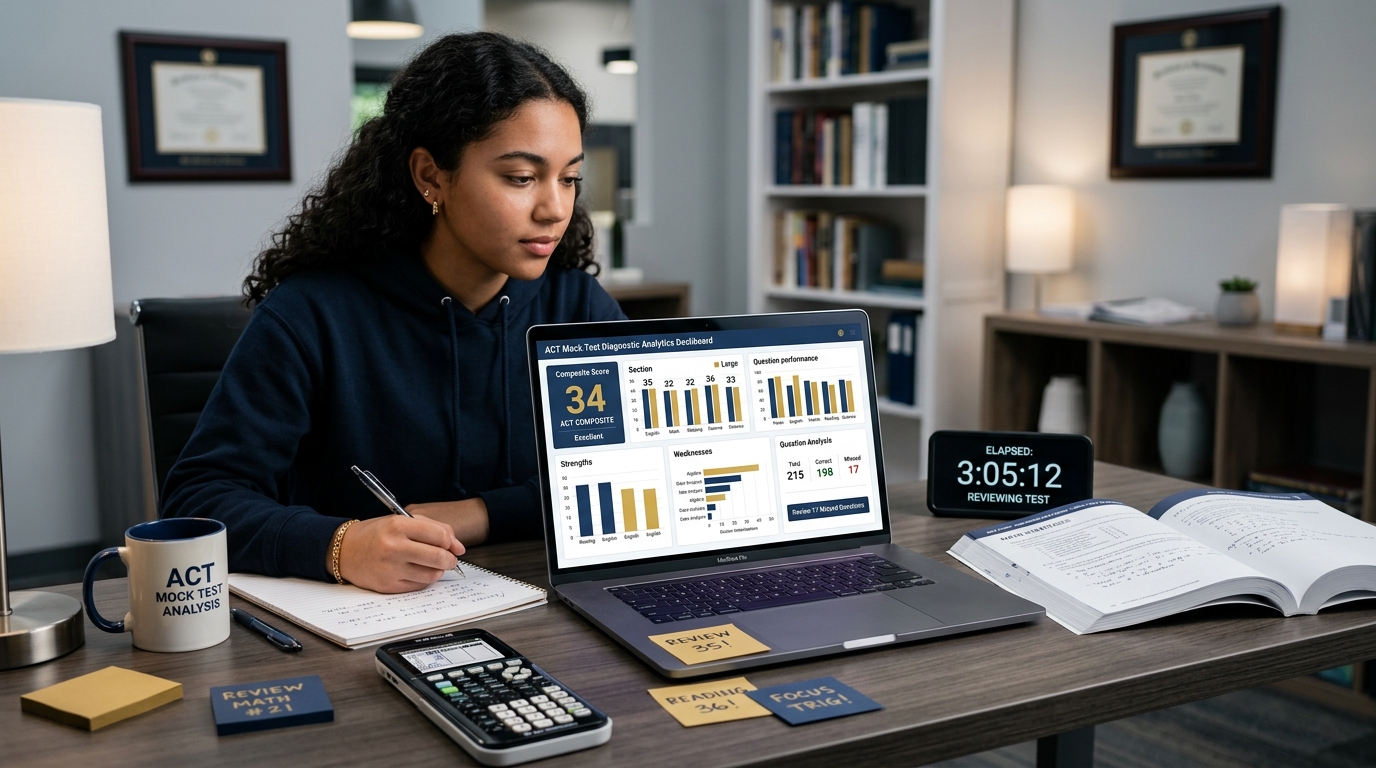
An online mock test does far more than deliver questions on a screen; it accurately replicates multi-stage adaptive algorithms, onscreen toolkits (such as Desmos graphing calculators and text highlighters), strict countdown clocks, and instant psychometric analytics. Powered by EduQuest Mock Hub and EduPath, this comprehensive guide explores the top benefits of online mock tests, essential digital test-taking strategies, and how AI-driven analytics turn online practice into top 1% percentiles.

Experience Official-Fidelity Online Mocks with EduQuest
Free Online Mock Hub
Adaptive Full-Length Exams
Simulate the exact Bluebook Digital SAT and Pearson VUE UCAT interfaces with adaptive modules and live timers.
Launch Online MockInstant AI Score Analytics
Sub-Topic Heat Maps
Receive instant breakdowns of your time per question, accuracy by difficulty tier, and sub-topic knowledge gaps.
Explore AnalyticsPersonalized Test Roadmap
EduQuest EduPath Platform
Map your online testing timeline connecting diagnostic baselines, practice drills, and milestone mock tests.
Launch EduPath Roadmap1. The Top 6 Advantages of Online Mock Tests
Online mock testing platforms provide cognitive and diagnostic benefits that physical paper tests simply cannot replicate:
Fast-Track Your College & Career Strategy
Get immediate, personalized AI insights tailored to your grade, strengths, and dream universities — 100% free with instant reports.
Know Your Personality Type for Free
Take our 18-question AI psychometric test to uncover your cognitive archetype, hidden learning superpowers, and ideal university courses.
Personalized Career & University EduPath
Build a step-by-step Grade 8–12 admissions blueprint with AI-matched target universities, exam schedules, and extracurricular profiles.
Multi-Stage Adaptive Testing Simulation
Modern digital exams (like the Digital SAT) route students to an easier or harder Module 2 based on Module 1 performance. Online mock platforms accurately simulate this adaptive scoring algorithm.
Instant, Latency-Free Diagnostic Analytics
Instead of spending hours grading paper answer sheets, online platforms generate instant score reports with sub-topic heat maps and percentile rankings the moment you submit.
Time-Per-Question Chronometer Tracking
Online platforms record the exact milliseconds spent on every question, revealing whether you are rushing through easy problems or getting bogged down on hard ones.
Onscreen Digital Tool Mastery
Practice using official digital testing tools, including built-in Desmos graphing calculators, text highlighters, answer eliminators, and mark-for-review flags.
Sensory and Screen Fatigue Conditioning
Staring at a computer screen for 2 to 3 hours causes unique optical and cognitive fatigue. Regular online testing conditions your visual stamina.
Anywhere, Anytime Accessibility & Cloud Sync
Access your full testing history, mistake logs, and video solutions seamlessly across laptops, desktops, and tablets.
2. Online Mock Tests vs Traditional Paper Tests: Comparison
| Feature / Dimension | Traditional Paper Practice | Modern Online Mock Test Engine | Student Benefit |
|---|---|---|---|
| 1. Test Adaptivity | Static linear paper booklet | Dynamic multi-stage adaptive module routing | Exact replica of official Digital SAT/GRE scoring |
| 2. Scoring Latency | Manual manual checking (1–2 hours) | Instant sub-second automated score calculation | Immediate diagnostic feedback while memory is fresh |
| 3. Pacing Data | Requires manual stopwatch tracking | Per-question automated time logging and graphs | Pinpoints exact pacing bottlenecks and rushes |
| 4. Digital Tools | Physical calculator and pencil | Embedded Desmos, strikethrough, and highlighting | Builds high-speed software shortcuts for exam day |
| 5. Mistake Tracking | Manual handwritten notebooks | Automated cloud mistake log with 1-click re-testing | Seamless spaced repetition and targeted practice |
| 6. Environmental Realism | Low (does not match digital exam center) | High (identical to official testing user interface) | Zero sensory or software shock on official test day |
3. Essential Strategies for Digital Test-Taking Mastery
To score in the top 1% on digital examinations, incorporate these proven online test-taking tactics:
Master the "Scratchpad-to-Screen" Workflow
Keep your physical scratchpad directly below your keyboard. When solving math or logic problems, write down only key variables and equations rather than copying the entire question.
Aggressively Use the Answer Eliminator Tool
Click the strikethrough tool to eliminate wrong answer choices immediately. Visually clearing incorrect options dramatically reduces cognitive load.
Hide the Countdown Clock If It Triggers Anxiety
Most online testing interfaces allow you to hide the timer. Check the clock only at major milestones (e.g., halfway through the section) to prevent time-checking panic.
Leverage Embedded Desmos Graphing Power
On the Digital SAT, over 40% of Math questions can be solved in under 20 seconds using Desmos regression, intersection finding, and slider features.
Deploy the Digital Flag-and-Review System
If a question takes more than 25 seconds to formulate an approach, flag it, click a placeholder answer, and proceed immediately. Never get stuck on a single digital screen.
4. 5 Golden Rules for High-Yield Online Mock Testing
Test on the Exact Laptop You Will Bring to the Exam Center
Familiarize yourself with your specific screen size, keyboard travel, trackpad sensitivity, and battery endurance.
Use Full-Screen Lockdown Mode with Zero Notifications
Close all communication apps (WhatsApp, Discord, iMessage) and lock your browser into full-screen mode to eliminate micro-distractions.
Adjust Screen Brightness & Blue-Light Settings
Set your screen brightness to match room ambient lighting to prevent eye strain and headaches during 2-to-3 hour simulations.
Conduct Error Analysis on the Online Platform
Review video explanations and interactive step-by-step solutions directly on the platform to visualize the digital shortcut.
Never Switch Browser Tabs to Look Up Answers
Resist the temptation to Google a formula during an online mock. A simulated test score is worthless unless earned under authentic constraints.
5. Common Online Mock Testing Pitfalls to Avoid
- Multitasking and Casual Testing: Checking text messages or pausing an online mock test to grab food completely destroys the pacing fidelity of the simulation.
- Neglecting Physical Scratchpaper Organization: Scribbling disorganized math calculations all over scratch paper leads to careless arithmetic slips when inputting digital answers.
- Ignoring Built-In Software Shortcuts: Using handheld physical calculators instead of high-speed digital Desmos graphing slows down Math section execution significantly.
- Failing to Review Digital Analytics Reports: Looking only at the total score while ignoring time-per-question analytics leaves your pacing weaknesses uncorrected.
6. How EduQuest Powers Your Online Mock Testing Success
At EduQuest, our cutting-edge online testing ecosystem provides the most authentic standardized test simulation available:
- 1. Official-Fidelity Adaptive Simulation Engine: Practice on pixel-perfect replicas of the Digital SAT Bluebook and Pearson VUE UCAT testing software.
- 2. Granular AI Diagnostic Heat Maps: Instant reports revealing your accuracy by sub-topic, question difficulty tier, and millisecond time allocation.
- 3. 1-on-1 Mentorship with 99th Percentile Scorers: Expert coaches who analyze your online test analytics and assign custom practice sets.
7. Frequently Asked Questions (FAQ) About Online Mock Tests
Are online mock tests accurate compared to official exams?
Yes! High-quality online mock platforms like EduQuest calibrate their questions, scoring algorithms, and adaptive routing against official scoring tables, providing 98%+ score prediction accuracy.
Can I take online mock tests on an iPad or tablet?
Yes, but for exams taken on laptops (like the Digital SAT), we strongly recommend practicing on the exact laptop you will use on test day to build keyboard and trackpad muscle memory.
How do online mock tests help with time management?
Online mock tests track the exact seconds spent per question, showing you where you wasted time, where you rushed, and how to calibrate your pacing across different difficulty levels.
Can I review my mistakes on the online testing platform?
Yes! EduQuest’s platform provides instant step-by-step written solutions, video breakdowns, and 1-click mistake logging after every completed test.
Are EduQuest online mock tests free for students?
Yes! EduQuest offers free full-length adaptive online mock tests with detailed analytics for the Digital SAT, UCAT, TMUA, and ACT.
Download the 2026 Digital Test-Taking Mastery Playbook
Get instant access to EduQuest’s 32-page whitepaper featuring Desmos graphing cheat sheets, digital pacing blueprints, adaptive testing algorithms, and top 1% score-building strategies.
Unlock Your 99th Percentile Test Score Today
Join 10,000+ ambitious students who have achieved top scores on the SAT, UCAT, TMUA, and ACT with EduQuest AI. Take your free online mock exam now.